Baby milestone journal
Keep the story behind every first
A first word is more than a date. It is who was there, what made everyone laugh and the photo you want to find again. Zeitarc helps you collect those details in a baby milestone journal.
Start your memory bookFor iOS and Android. An account is needed to save and share memories.
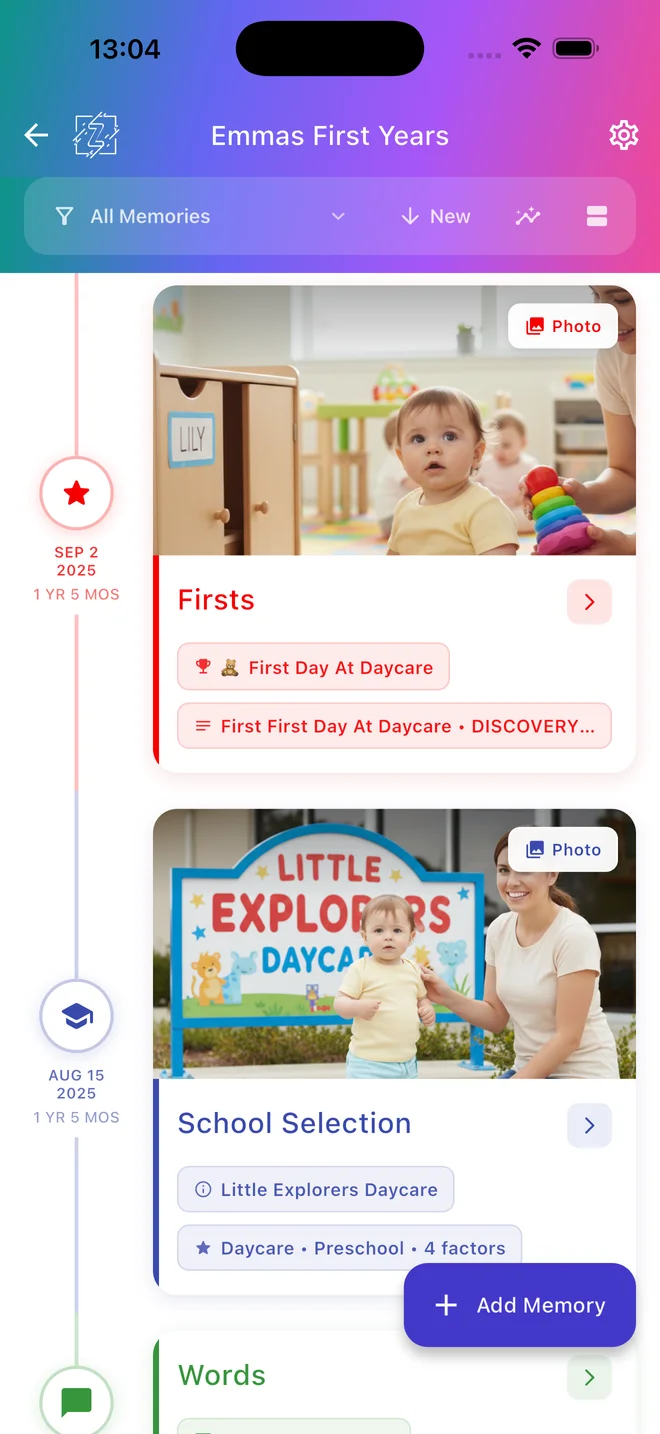
Record firsts in your own way
Use guided entries for first moments and little achievements, or add a memory for a day that does not fit a checklist. Save the date, the details and photos that tell your child's story.
Remember the ordinary days too
A favourite book, a new food, a nursery drawing or a funny expression can matter just as much as a big first. Keep these moments together instead of losing them among camera-roll screenshots.
A memory journal, at your child's pace
This is a place to record what happened, not a developmental assessment. Children follow different paths. If you have questions about development, talk with a qualified health professional.
How it works
Choose a moment
Open your child's timeline and choose a relevant memory template.
Add the details
Write what happened, when it happened and who was there. Add a photo or video where the entry supports it.
Return to the story
Browse memories by date and invite family members with the access you choose.
Questions parents ask
Is this a developmental milestone checklist?
No. Zeitarc records memories and firsts. It does not screen development, assess whether a child is on track or replace professional advice.
Can I add an older memory?
Yes. Record the date of the moment when you add an entry, so earlier memories belong in the timeline too.
Can I keep using it after the first year?
Yes. Templates cover experiences such as books, school memories, art and outings as your child grows.
Is Zeitarc free?
Zeitarc offers a free plan and paid subscriptions. Features and limits depend on your plan. Check the current options in the app before subscribing.
Start your memory book
For iOS and Android. An account is needed to save and share memories.
Start your memory book Plans and support